
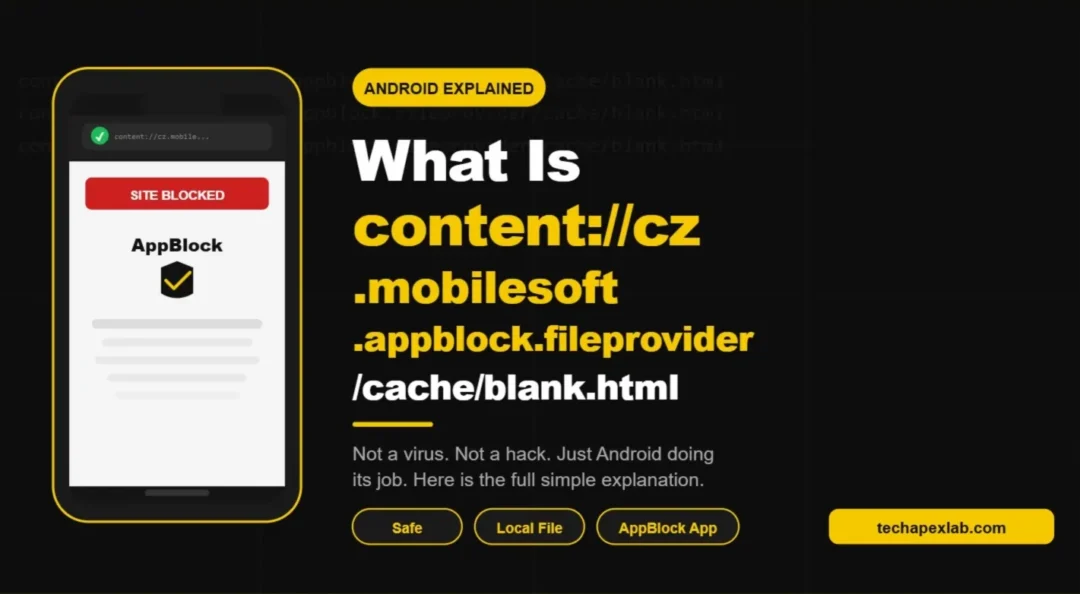
You opened your browser. A weird string appeared in the address bar. It looked like something broke or maybe something got hacked. That string was content cz mobilesoft appblock fileprovider cache blank html and right now your only question is what on earth is this thing.
Good news. It is not a virus. It is not spyware. Nothing on your phone is broken. What you are looking at is one of the most misunderstood Android file paths out there and once you understand it in plain simple words you will never worry about it again.
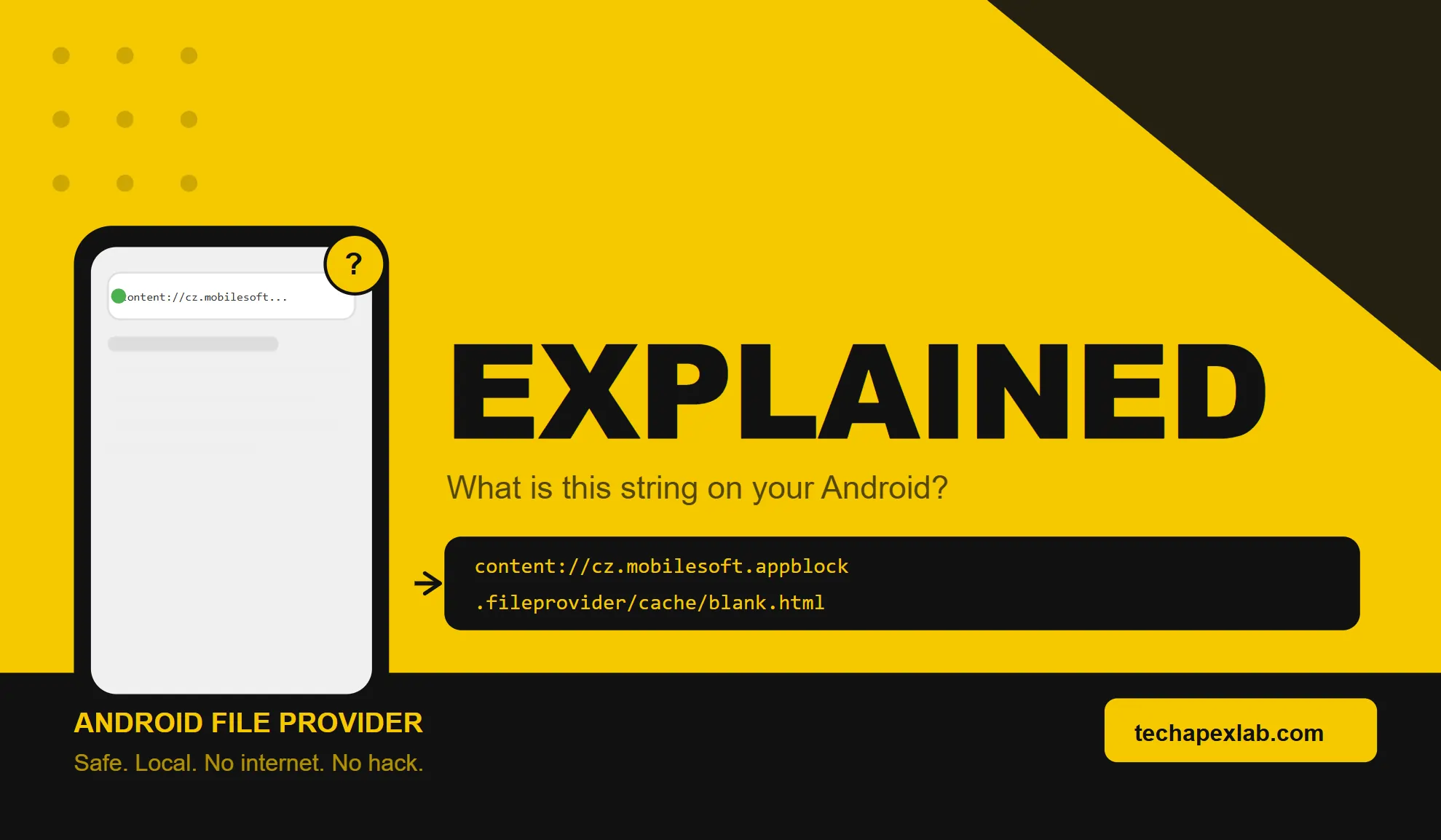
What Is content cz mobilesoft appblock fileprovider cache blank html
When your browser shows content cz mobilesoft appblock fileprovider cache blank html in the address bar it means one thing. The AppBlock app on your Android device just blocked a website you were trying to open. Instead of loading that website or showing you a browser error page it loaded a tiny blank HTML file stored right on your phone. That blank file is what you see. That is the whole story.
AppBlock is a productivity app made by a Czech company called MobileSoft. Millions of people use it to block distracting websites and apps during work hours or study time. When you try to open a blocked site the app steps in. It does not let the request go out to the internet. Instead it quietly redirects your browser to a small local file saved in its own cache folder. That file is blank html. Your browser shows the address of that file in the address bar and that address is what scared you.
The cz part in the name is just the country code for Czech Republic. That is where MobileSoft is based. The mobilesoft part is the developer name. Appblock is the app name. Fileprovider is an Android security component. And cache blank html is just the location and name of that small placeholder file.
Why Android Uses a content URI Instead of a Normal File Path
This part is actually clever. Android does not let apps directly share raw file paths with each other. If AppBlock wanted to show your browser a file it could not just say here is the file at this storage location. That would be a security risk because any app could then try to access that same location.
So Android created a system called Content Providers. Think of it like a front desk at a secure building. You cannot walk into any room you want. You go to the front desk. The front desk decides what you can see and for how long. Then it hands you exactly what you need and nothing more.
The content URI is the address of that front desk. When you see content cz mobilesoft appblock fileprovider cache blank html in your browser it means your browser asked the front desk of AppBlock’s file system for a tiny blank page. The front desk gave it. Your browser loaded it. Done.
This design keeps your storage safe. It keeps other apps from snooping around AppBlock’s files. And it keeps the whole process fast because the file loads from your phone directly without touching the internet at all.
Breaking Down Every Part of the URI
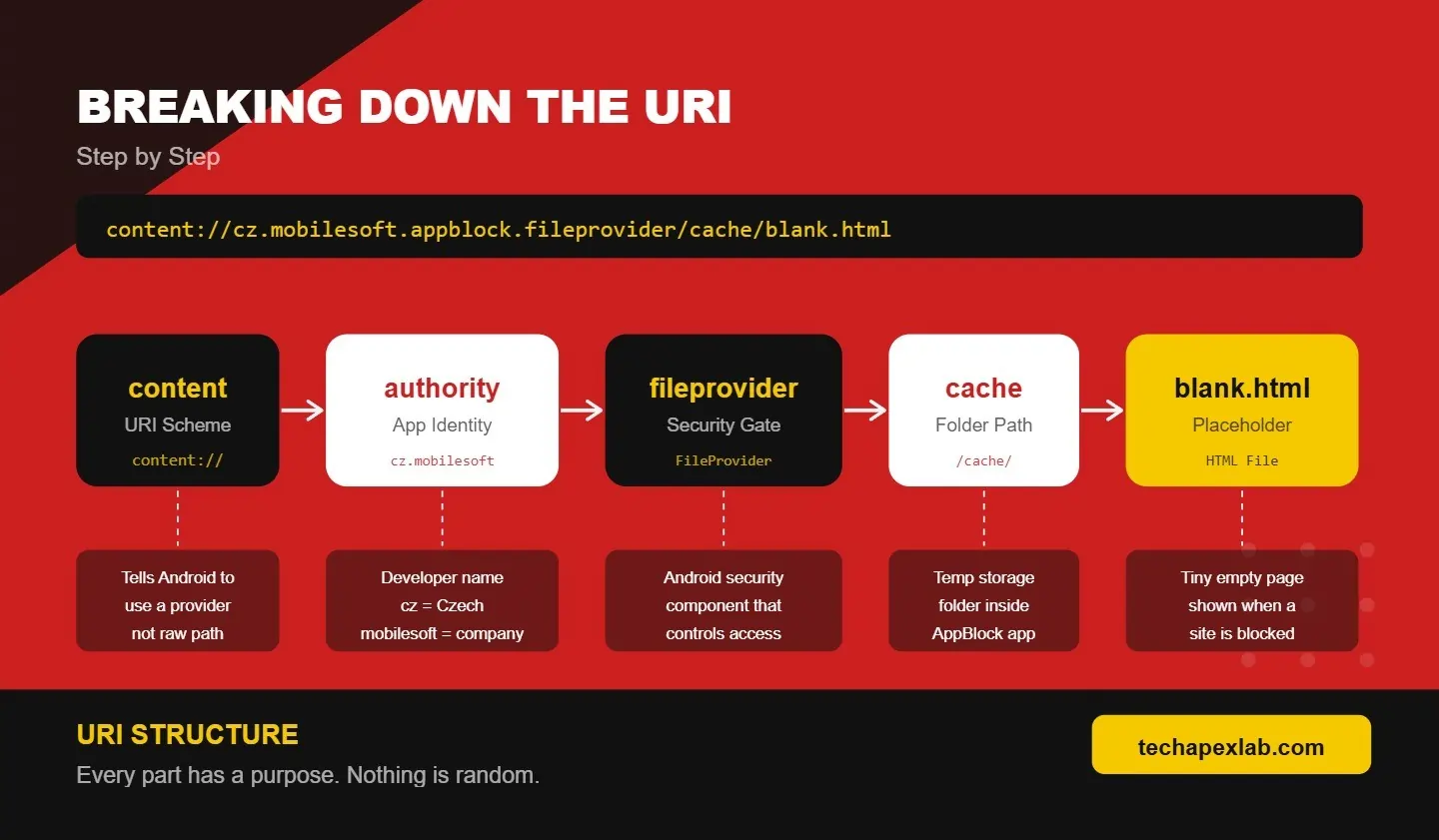
Let us go through content cz mobilesoft appblock fileprovider cache blank html piece by piece so there is zero confusion left.
content is the scheme. It tells Android this is a file being served through a content provider and not through a website or a raw file path.
cz mobilesoft appblock is the authority. This is basically the identity of the app that owns the file. It follows reverse domain naming which is a standard Android convention. cz is the country code. mobilesoft is the company. appblock is the app.
fileprovider is the component doing the work. FileProvider is a built in Android class that handles secure file sharing between apps. AppBlock registered its own FileProvider in its app code and gave it this name.
cache is the folder. Android apps have a dedicated cache directory for temporary files. AppBlock stores its blank placeholder page inside that cache folder.
blank html is the actual file. It is a tiny HTML file. It has almost no content in it. Its only job is to show an empty page so your browser does not crash or show an ugly error when a site gets blocked.
Put it all together and content cz mobilesoft appblock fileprovider cache blank html simply means AppBlock used Android’s secure file sharing system to show your browser an empty local page instead of the website you tried to visit.
 Is content cz mobilesoft appblock fileprovider cache blank html Safe
Yes. Completely safe. This URI does not connect to any server. It does not send your data anywhere. It does not download anything from the internet. The file it points to lives entirely on your phone inside AppBlock’s own private storage.
The only reason it looks scary is because most people have never seen an Android content URI in a browser address bar before. We are trained to expect URLs starting with https. When something different shows up the brain says danger. But in this case the brain is wrong.
If you installed AppBlock from the Google Play Store you have nothing to worry about. The file is a legitimate part of how the app works. MobileSoft has been making this app for years and it has millions of downloads. This is not a shady behavior. This is exactly how a responsibly built Android app should handle website blocking.
The only time you should be concerned is if you never installed AppBlock and you are still seeing this path. In that case check your installed apps list. If you find an app you do not recognize that is when you should investigate further.
Why Does It Show Up in Browser History
This surprises a lot of people. They open their browser history and see content cz mobilesoft appblock fileprovider cache blank html listed like a visited website. It can look like you visited dozens of strange pages.
What actually happened is simpler. Every time AppBlock blocked a website your browser recorded that redirect as a page visit. So if you tried to open ten blocked sites during the day you will see this URI listed ten times in your history. Each entry is just one blocked navigation attempt. Not ten different sites. Not ten downloads. Just ten moments when AppBlock did its job.
You can clear your browser history anytime to remove these entries. They will come back as long as AppBlock keeps blocking sites which is exactly what you installed it for.
How to Stop Seeing content cz mobilesoft appblock fileprovider cache blank html
If the URI is bothering you there are a few ways to deal with it depending on what you actually want to do.
Adjust your block rules. Open AppBlock. Go to settings. Look at your web filtering rules. Remove any domains or websites you no longer want blocked. Once a site is unblocked AppBlock stops redirecting your browser to the blank page for that site.
Pause AppBlock temporarily. Most versions of AppBlock let you pause blocking from the notification panel or from inside the app. When blocking is paused this URI stops appearing. Just remember to turn it back on when you need focus again.
Clear AppBlock cache. Go to your phone settings. Tap Apps. Find AppBlock. Tap Storage. Tap Clear Cache. This deletes the blank html file and any other temporary files. AppBlock will recreate them automatically the next time it blocks something. This does not fix anything permanently but it can help if you are having a display issue with the blank page.
Uninstall AppBlock. If you no longer want the app just uninstall it. The URI will never appear again because nothing will be creating it.
What If the Page Does Not Load Correctly
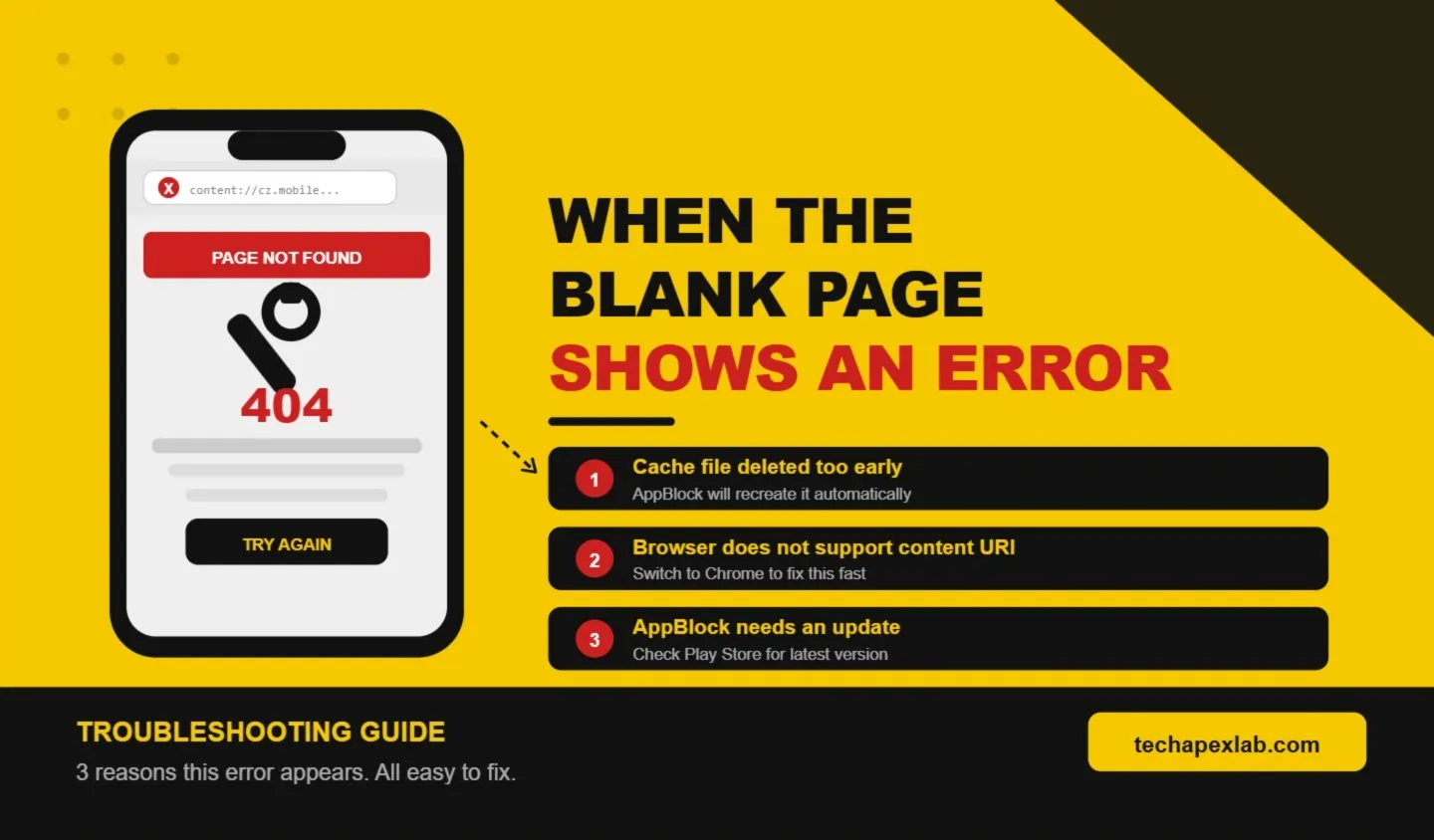
Sometimes instead of a clean blank page users see an error. The browser might say page not found or show a broken screen instead of the empty placeholder. This usually happens for one of three simple reasons.
The cache file got deleted before the browser could load it. AppBlock stores blank html as a temporary file. If your phone cleaned its cache at the wrong moment the file may not exist when the browser asks for it. AppBlock will recreate it shortly but there can be a brief moment where it is missing.
The browser does not support content URIs properly. Most modern Android browsers handle this fine but some older or less popular browsers may not know how to deal with the content scheme at all. Switching to Chrome usually fixes this.
AppBlock needs an update. An older version of the app may have a bug in how it creates or serves the blank html file. Open the Play Store and check if an update is available. Installing it often resolves the display issue on its own.
What Developers Should Know About This URI
If you are a developer and you are seeing content cz mobilesoft appblock fileprovider cache blank html in your logs or while testing a WebView app here is what matters.
This URI is completely normal output from AppBlock. If your test device has AppBlock installed and active it will intercept certain navigations and redirect them to this local file. That is expected behavior. It is not a bug in your app.
If you need your WebView to handle content URIs properly make sure you are using ContentResolver to open a stream from the URI rather than trying to guess a raw file path. Use getContentResolver and openInputStream to read from the URI. Handle SecurityException in case the permission has been revoked. And set the correct MIME type which is text html with UTF 8 encoding when returning a WebResourceResponse.
Never try to construct the file path yourself to bypass the FileProvider. That approach breaks on newer Android versions and creates security risks. Always go through the content resolver. That is what it is there for.
FAQ’s
What is content cz mobilesoft appblock fileprovider cache blank html?
It is an Android content URI that AppBlock uses to show your browser a blank local page whenever it blocks a website. It is not a virus or malware. It is a normal part of how the app works.
Is content cz mobilesoft appblock fileprovider cache blank html dangerous?
No. It does not connect to the internet. It does not send your data anywhere. It loads a tiny file stored on your own phone. It is completely safe as long as AppBlock is the app generating it.
Why does this URI appear in my browser history?
Every time AppBlock blocks a website your browser records the redirect as a page visit. So this URI shows up in history once for each blocked navigation attempt during that session.
Can I delete the blank html file?
Yes. Go to Settings then Apps then AppBlock then Storage and tap Clear Cache. The file will be deleted but AppBlock will create it again automatically the next time it needs to block something.
What if I never installed AppBlock but I see this URI?
Check your installed apps list carefully. If you find AppBlock or any unfamiliar app that you did not install yourself remove it. A URI with this exact path should only appear if AppBlock is installed and active on your device.
Conclusion
Content cz mobilesoft appblock fileprovider cache blank html is one of those things that looks complicated until someone explains it simply. It is just AppBlock doing its job. It blocked a website. It showed your browser a blank local page instead. Your browser recorded the address of that page. That is everything that happened.
Android built this system so apps could share files safely without exposing your storage to other apps. AppBlock uses it correctly. The blank html file is harmless. The URI is harmless. And now you know exactly what it means every time you see it.
If you want to understand more about how Android apps work under the hood or you are looking for tech guides that actually explain things in plain language visit TechApexLab where we break down complex tech topics the same way we just broke this one down for you.
