
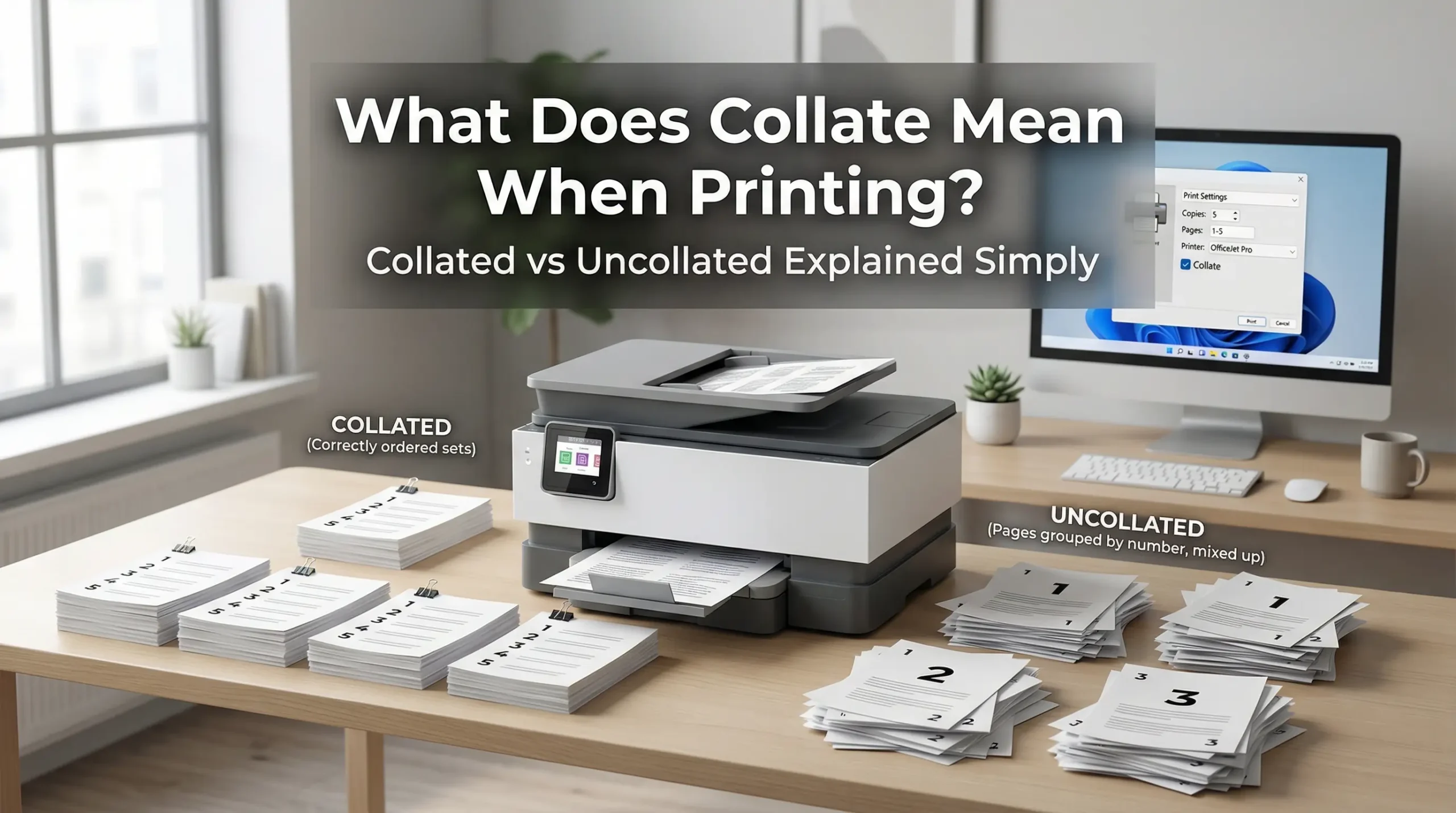
When you open printer settings and see the word collate you probably stop for a second and think what does this even mean.
Most people just skip it and hit print without understanding what it does.
That is a mistake because collate is one of those settings that can save you a lot of time and frustration especially when you are printing multiple copies of a document.
So let me break it down for you in the simplest way possible.
What Does Collate Mean When Printing
Collate means printing pages in a specific order so that each complete set comes out together as one full document.
So if you are printing a 5 page document and you need 3 copies collated printing will give you this.
Copy 1 comes out as pages 1 2 3 4 5. Then copy 2 comes out as pages 1 2 3 4 5. Then copy 3 comes out as pages 1 2 3 4 5.
Every set is complete and in order the moment it comes out of the printer.
You do not have to sort anything manually.
What Happens When Collate Is Turned Off
When collate is off your printer prints all copies of one page before moving to the next.
So for 3 copies of a 5 page document it would print like this.
Page 1 three times. Then page 2 three times. Then page 3 three times. And so on till page 5.
Now you have 15 loose pages sitting in a pile and you have to sort them yourself into 3 separate sets.
That takes time. That takes effort. And if you are in a hurry it is very easy to make mistakes.
Collated vs Uncollated Printing
This is where most people get confused so let me make it very simple.
Collated means each full copy comes out one at a time in the right order.
Uncollated means all copies of each page come out together before the next page starts.
Think of it this way. Imagine you are printing 10 copies of a 3 page report for a meeting.
Collated gives you 10 ready to hand out packets the moment printing is done.
Uncollated gives you 3 messy stacks that you have to manually sort and organize.
For most everyday use cases collated is the better choice.
When Should You Use Collated Printing
Collated printing is the right choice in most situations where you are printing full documents.
If you are printing reports for a meeting use collated. Every person gets a complete packet without you having to sort anything.
If you are a teacher printing test papers for students collated printing makes distribution easy.
If you are printing a booklet or manual for multiple people collated saves you serious time.
If you are printing a presentation deck for a client collated means everything comes out professional and organized.
Basically whenever the order of pages matters and you need multiple full sets collated is your best option.
When Should You Use Uncollated Printing
There are some situations where uncollated printing actually makes more sense.
If you need to print single page documents like flyers or coupons uncollated is fine because there is only one page so order does not matter.
If you are printing and then binding documents yourself and you have a specific workflow where you handle pages one at a time uncollated might work better.
If your printer has finishing options like stapling or hole punching built in sometimes uncollated printing works better with those mechanical processes.
But these are specific situations. For regular document printing collated is almost always the better choice.
How to Turn Collate On or Off on Your Printer
This is easier than most people think.
When you press print on any document a print dialog box opens up.
In that dialog box look for the section that says copies or number of copies.
Right next to or below that you will usually see a checkbox that says collate.
If the box is checked collate is on. If it is not checked collate is off.
On Windows this setting is usually in the main print window or under more settings or printer properties.
On Mac you will find it in the print dialog under the copies section as well.
On mobile printers or shared office printers the setting might be in the printer app or on the printer screen itself.
The default setting on most printers is collate on which means your printer is already set up to print in order unless you change it.
What Does Collate Mean on Different Printers
The collate option works the same way on almost every printer but the way it looks on screen might be slightly different.
On an HP printer you will see a collate checkbox in the print settings dialog when printing from any program.
On a Canon printer the collate option is usually found under page setup or finishing in the printer properties menu.
On an Epson printer look inside the print settings under copies and pages.
On a Brother printer the collate option is typically in the basic tab of the printer driver settings.
The function is always the same. The location just changes depending on the brand and model.
Does Collate Affect Print Speed
Yes it does and this is something a lot of people do not realize.
When collate is on your printer has to print each full copy before starting the next one.
This can be slightly slower especially on older printers or printers with less memory.
When collate is off the printer prints all copies of one page at a time which can be faster because the printer only has to process each page once and repeat it.
However on modern printers with good memory and processing power the speed difference is very small.
For most home and office printers today you will not notice a big difference in speed.
The time you save by not having to sort pages manually is usually much more than the few seconds you might save by printing uncollated.
Collate and Double Sided Printing
If you are printing double sided which is also called duplex printing collate becomes even more important.
With double sided printing turned on and collate also on your printer will print both sides of each page in order before moving to the next page.
This gives you perfectly organized double sided documents without any confusion.
If collate is off and double sided is on the results can get confusing because pages might not line up correctly on each sheet.
So whenever you are doing double sided printing it is a good idea to make sure collate is also turned on.
Why Does the Word Collate Even Exist
The word collate actually comes from a Latin word that means to bring together or to compare.
In the old days before printers existed collating meant manually collecting and organizing pages in the right order.
Librarians and publishers used to collate papers by hand.
When printers became common the term carried over into printer settings to describe the same idea.
Bringing pages together in the right order.
That is exactly what your printer does when you turn collate on.
Common Mistakes People Make With Collate
A lot of people leave collate off by accident and then wonder why all their pages are out of order.
Some people think collate is only for big jobs but it is useful even for small 3 or 4 page documents when you need more than one copy.
Some people turn off collate thinking it will make printing faster but on modern printers the difference is almost nothing and sorting pages manually costs more time.
And some people never even look at the collate setting and just print without thinking about it.
Taking 5 seconds to check whether collate is on or off before you print can save you several minutes of sorting later.
What Does Collate Mean When Printing Multiple Copies
This is the most common situation where collate matters.
When you are printing just one copy of a document collate does not matter at all because there is nothing to sort.
But the moment you start printing 2 or more copies collate becomes very useful.
For 2 copies of a 10 page document that is 20 pages total coming out of the printer.
With collate on you get two clean sets of 10 pages each ready to go.
With collate off you get 10 stacks of 2 pages each that you have to reorganize.
The more copies you print the more valuable the collate setting becomes.
FAQ’s
1. What does collate mean when printing?
Collate means printing full sets of a document in order so each complete copy comes out together instead of all copies of one page at a time.
2. Is collate on or off better?
For most printing jobs collate on is better because it saves you time sorting pages manually.
3. Does collate slow down printing?
It can be very slightly slower on older printers but on modern printers the difference is almost unnoticeable.
4. What is the difference between collated and uncollated?
Collated means each full copy prints completely before the next one starts. Uncollated means all copies of each page print before moving to the next page.
5. Should I use collate for double sided printing?
Yes. Always turn collate on when doing double sided printing to make sure pages come out in the right order.
6. Where is the collate setting on my printer?
It is usually in the print dialog box near the copies option. Look for a checkbox that says collate.
7. What does collate mean on a printer setting screen?
It means the printer will organize and print each full document set in order before starting the next copy.
